Know what you can spend this month
Enter your rent, insurance and subscriptions once. Splitrate takes them off your income every month and shows how much is really yours to spend. Free for iPhone and iPad, for one person or a whole flat.
Free. No ads, no account. iOS 18 or later.
Rent, split by income
Choose once how you share costs. Splitrate splits every shared bill that way, to the cent, and nobody has to keep a spreadsheet.
Rent
$1,200
You pay $720, Sam pays $480. You earn $3,000, Sam earns $2,000.
Open the app, know where you stand
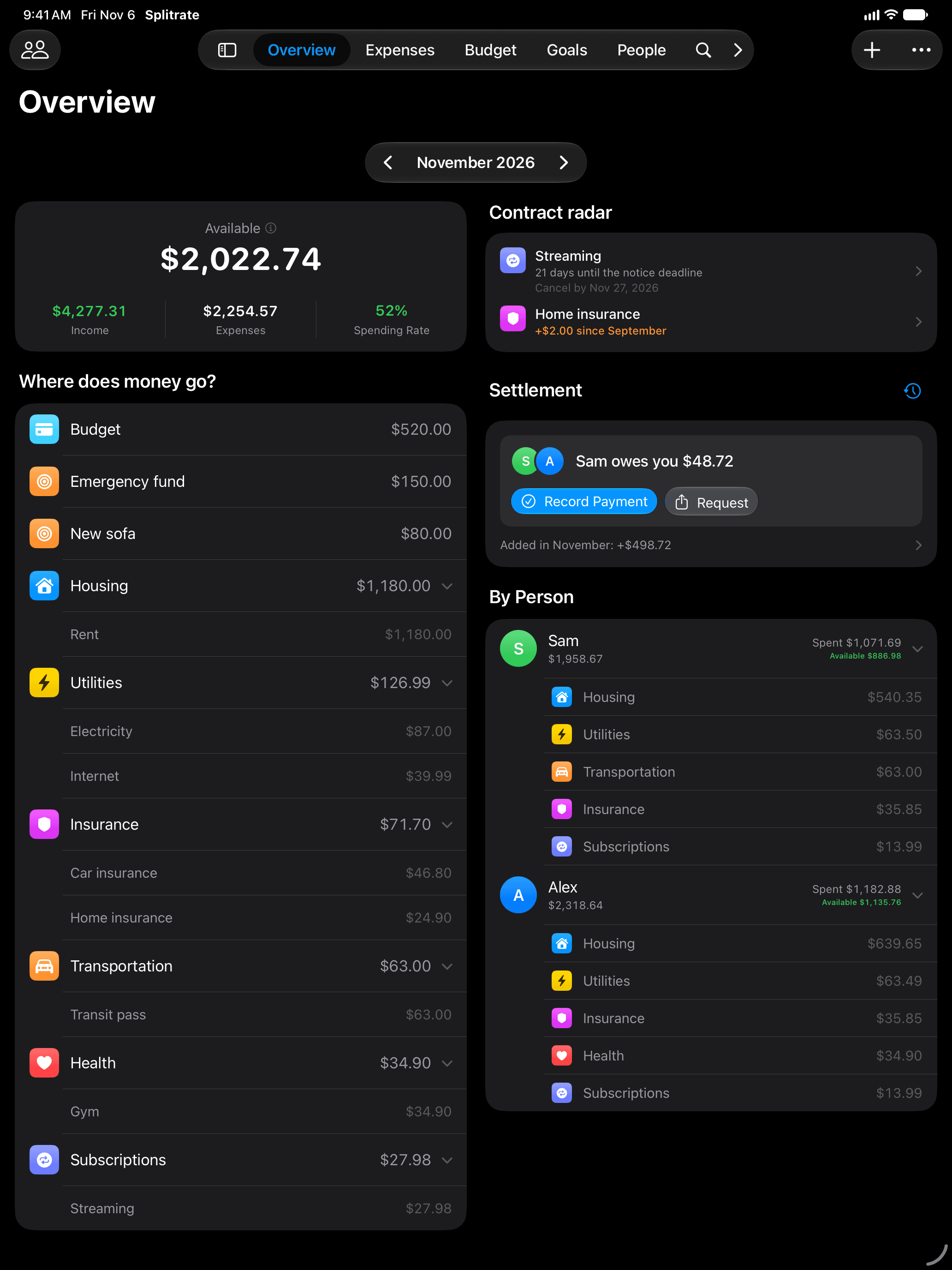
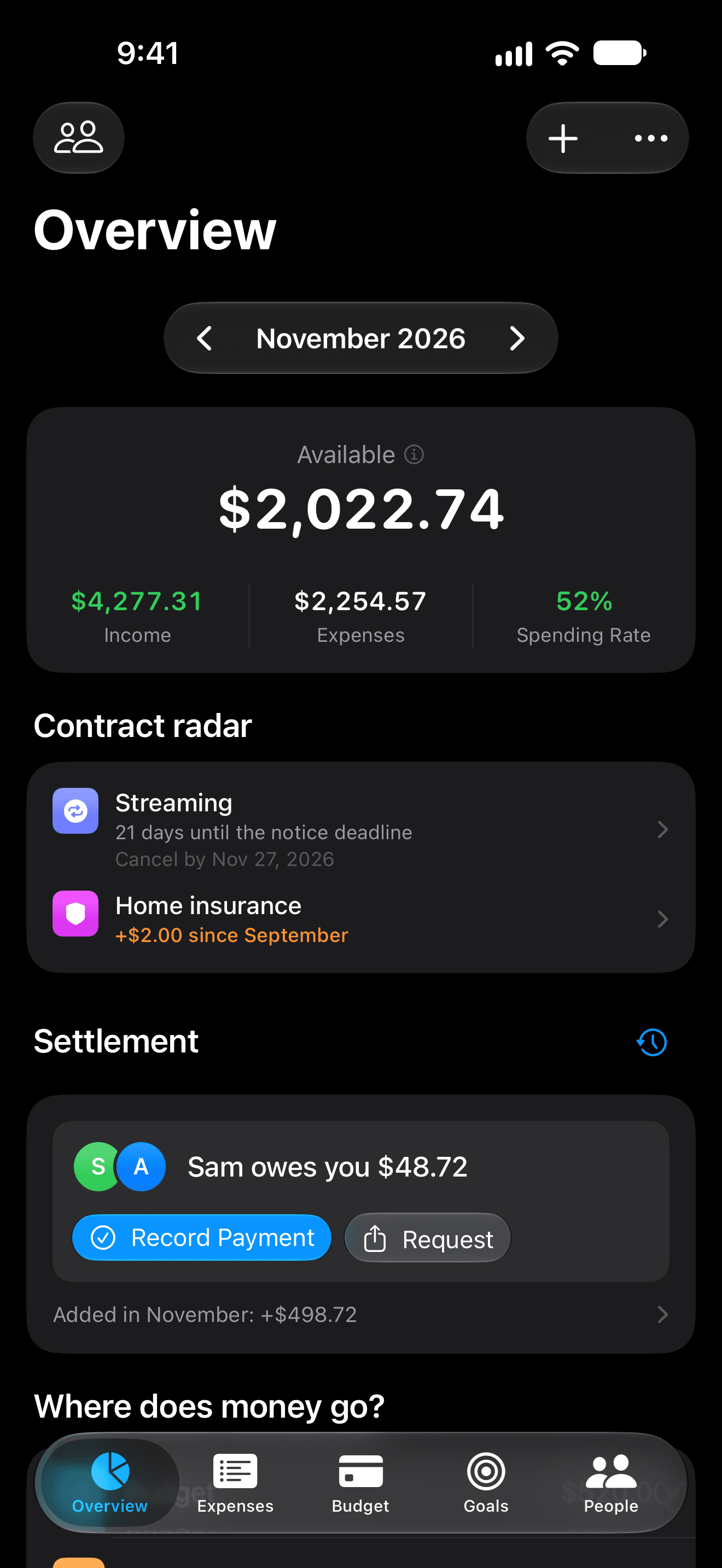
Five tabs answer five questions: what's left, what's due, what's running over, how close a goal is, and who owes whom.
What's left this month
Your income minus everything that's due, so you know before payday whether dinner out still fits.
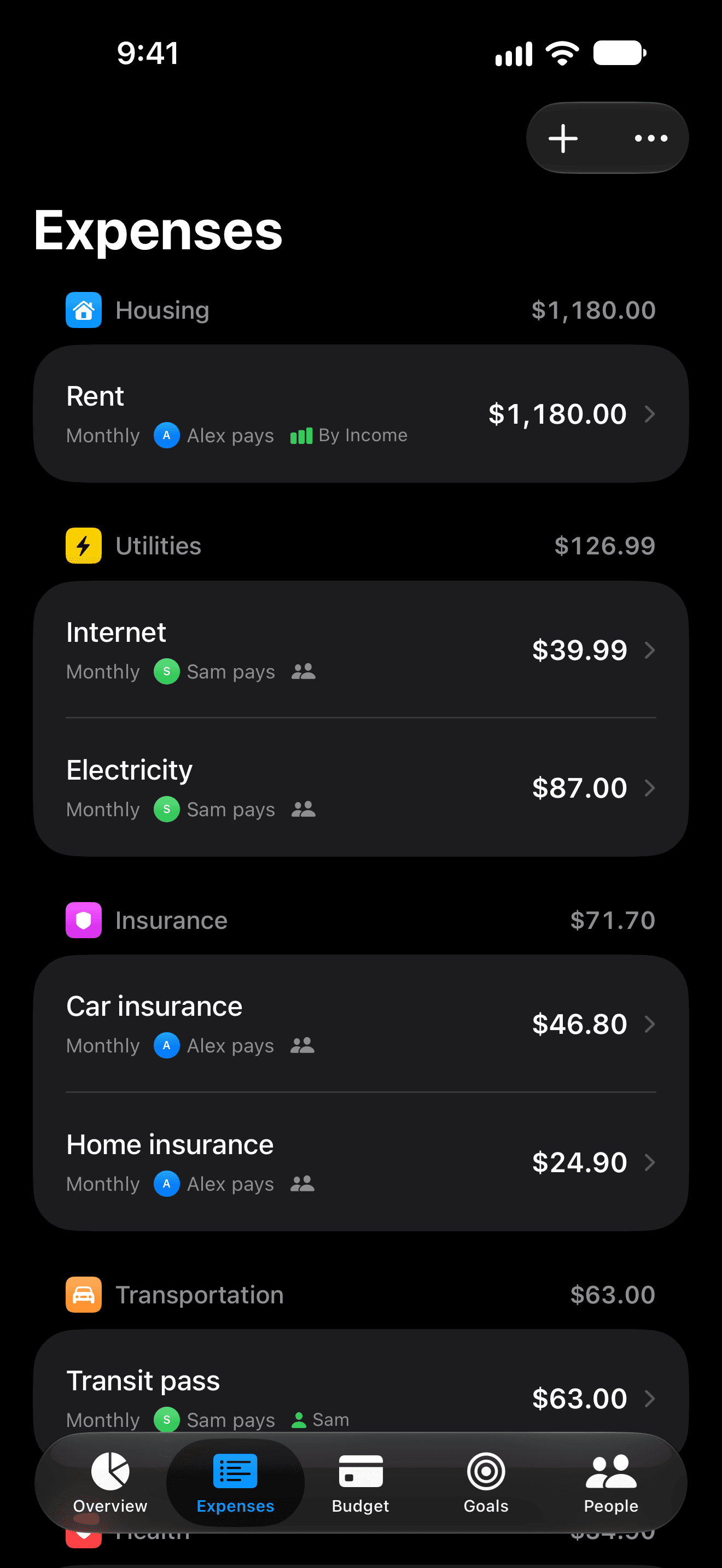
Fixed costs, entered once
Rent every month, car insurance once a year, the gym only from September to May. Each cost shows up in exactly the months you pay it.
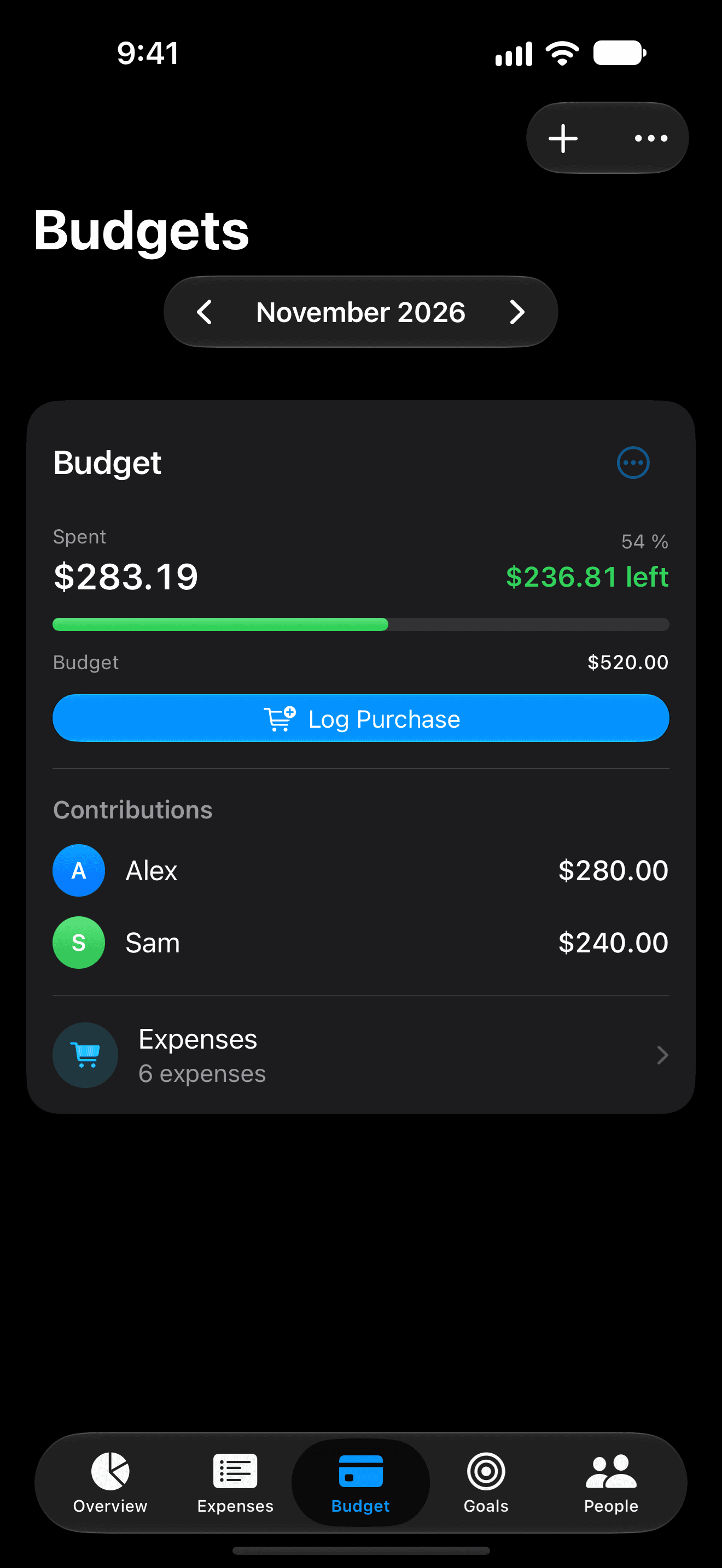
A limit for spending that varies
Set a monthly limit for groceries and log each shop with one tap. You see what's left while there's still time to adjust.
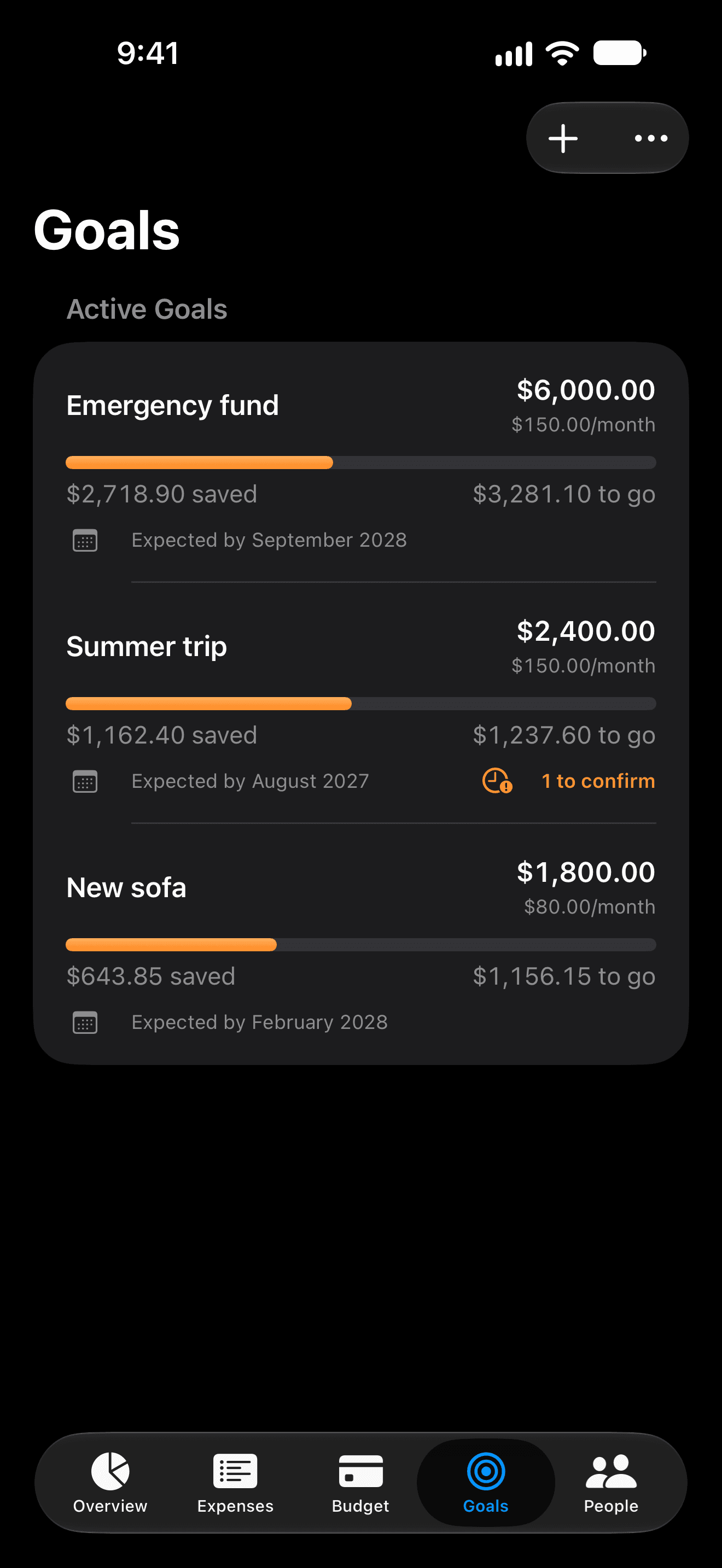
Savings goals with an end date
Choose a monthly amount for a trip and Splitrate tells you the month you'll have it saved.
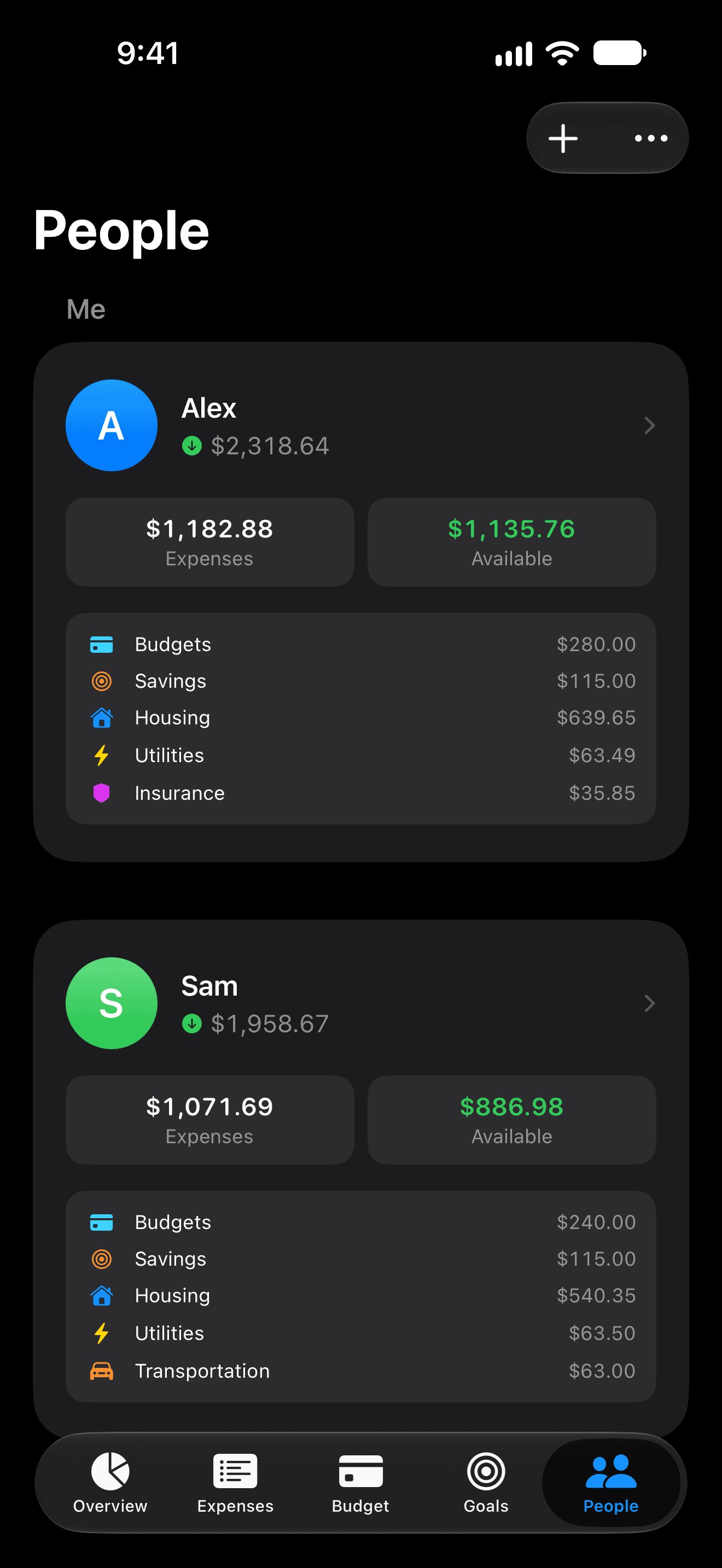
Who pays what
Each person's income, share of the costs and what they keep. On your own, it shows just you.
Bigger on iPad
Two columns on iPad and iPhone Duo, and you can drag an expense onto a person or a budget.
Fewer surprises on your bank statement
Warn me before a notice period ends
Streaming: 21 days left, cancel by Nov 27.
Tell me when a contract gets more expensive
Read receipts with the camera
Add a cost by typing one line
Type “Netflix 12.99 monthly” and the entry is saved, repeat included.
Lock the app with Face ID
Everything in the app
Every feature is free. Here is the full list.
For everyone
- Quick Add in one lineNetflix 12.99 monthly
- Receipt scanningon your device
- Siri and Shortcutsadd by voice
- WidgetsHome and Lock Screen
- Contract radarnotice periods, price rises
- Monthly reviewready to share
- Calculator in every amount field89/3
- Suggestions from your routinecategories, amounts
- Savings goals and pots25, 50, 75%
- Budgets with remindersbefore you go over
If you share costs
- Split by income, equally, by amount or by percentageor one person pays
- Running balancewho owes whom
- Partial payments in any monthedit or undo
- Payment requestssend as a message
- Shared household through iCloudeveryone on their own iPhone
Your data
- Accountnone needed
- Ads and trackingnone
- Syncyour own iCloud
- Face ID lockoptional
- ExportCSV, JSON
- Languages11
- DevicesiPhone, iPad, iOS 18+
Questions before you download
Yes. Splitrate is free on the App Store, with no ads, no subscription and no in-app purchases.
Yes. Many people use Splitrate only for their own money. You can add a partner or flatmates later, or never.
Each person pays the part of a cost that matches their part of the household income. If you earn $3,000 and Sam earns $2,000, you pay 60% of the rent and Sam pays 40%. You can also split equally, by fixed amounts or by percentages.
No. There's no sign-up. Your data stays on your devices and syncs through your own iCloud.
No. Splitrate runs on iPhone and iPad with iOS 18 or later. A shared household works through iCloud, so everyone who shares needs an iPhone or iPad.
Yes. In Settings you can export everything as CSV or JSON.